
Turn Outlook archiving into a smart email archive
Archiving email in Outlook helps you move older messages out of your mailbox and keep it organised. Outlook itself provides a standard archive feature for this. You can read more about it at Microsoft Support: Archive in Outlook for Windows. Messages are moved to an archive, but the way they are organised does little to help you quickly find what you are looking for later.
OAS takes a different approach. With Archiving, you use your own rules to determine which email is archived and which archive folder it is placed in. This automatically creates a clear structure instead of one large collection of old email.
Your own rules, your own archive structure
Archive rules determine how OAS organises different types of email. Messages can automatically be placed in the correct archive folder based on criteria such as sender, email address or subject.
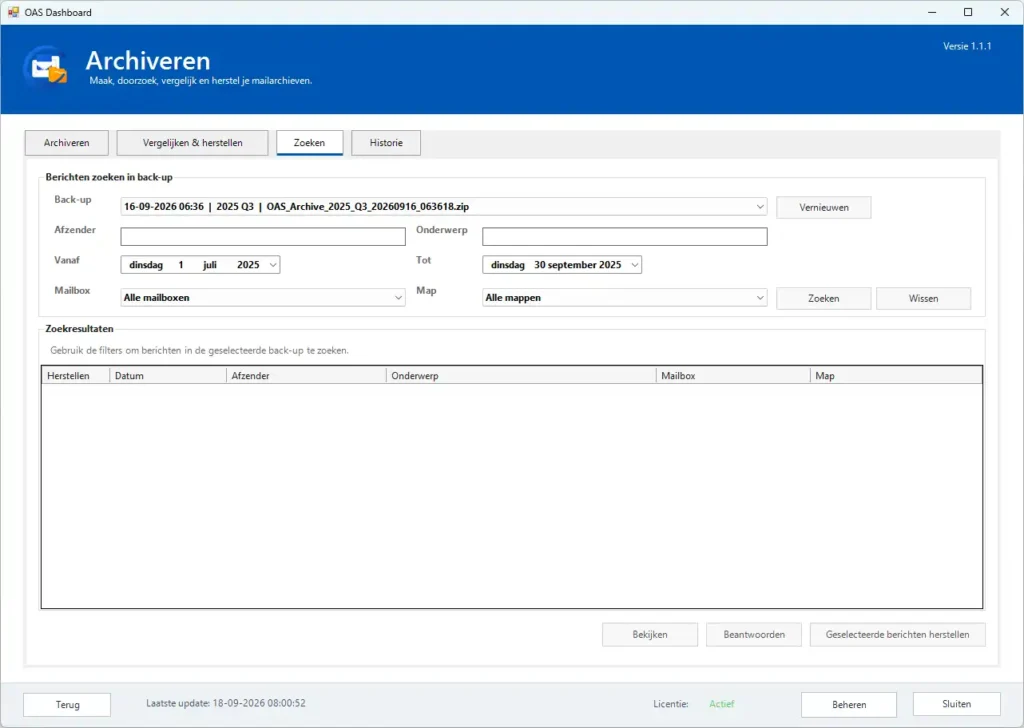
You can create archives by month, quarter or year and search them directly from OAS. You can compare your inbox with your archive, restore a specific email or reply to an email directly from an archive.
✓ Create and manage your own archive rules
✓ Automatically store email in the correct archive structure
✓ Keep different types of email separated
✓ Easily find archived messages
✓ Make archived messages available in Outlook again
Automatic archiving based on your own rules
With OAS, you can archive email in Outlook according to rules you define yourself. You decide which messages are archived, where they are stored and how your archive is structured.
With OAS, you decide which email is automatically archived and where it is stored. You create archive rules based on criteria such as the sender, email address or subject of a message. This allows you to automatically separate different types of email and store them in a logical archive structure.
OAS can organise your archives by month, quarter or year. Within these archives, messages are placed in the correct folders according to your own rules. For example, invoices, newsletters, customer correspondence and other recurring email can each have their own place.
The advantage is that you do not have to decide manually where each message should be stored. Once your rules have been configured, OAS can handle the archiving for you. Your mailbox remains organised, while important email remains structured and searchable.
Your archive rules remain entirely under your control. You can review and adjust them whenever your workflow changes, allowing the way OAS archives your email to evolve with your needs.
Archiving email in Outlook becomes a regular part of your daily workflow instead of a task you need to perform manually from time to time. This is particularly useful for mailboxes that receive many messages every day, helping to keep the volume of email manageable without having to delete valuable correspondence.
Stay in control of what you archive
Automatic archiving does not mean losing control of your email. OAS clearly shows which messages are stored in the archive and allows you to compare your mailbox with your archive. This lets you check which messages have already been archived and which email is still present in your mailbox.
Your email remains accessible after it has been archived. Within OAS, you can search your email archive and find a previously archived message whenever you need it again.
Want to make a message available in Outlook again? From OAS, you can return an archived email to the correct mailbox. By default, this is done safely by copying the message, so the original remains in the archive. Your archive therefore stays complete while the email becomes available for use in Outlook again.
In this way, OAS combines automatic archiving with the assurance that you can always see what has been archived, where it is stored and how to find it again.
Ready for a more organised email archive?
With OAS, you can keep your Outlook mailbox manageable without losing sight of important email. You decide what is archived, OAS creates a clear structure and your messages remain easy to find.
With OAS, archiving email in Outlook becomes a structured and consistent process, while you remain in control of your rules and archive structure.
Less manual cleanup, more organisation and complete control over your email archive.